3D and AR menus for restaurants
Your Menu Deserves a Third Dimension.
Turn ordinary food menus into immersive 3D experiences. Let customers explore every dish and see it on their table before they order.
See It. Explore It. Taste the Possibilities.
Ember & Crust
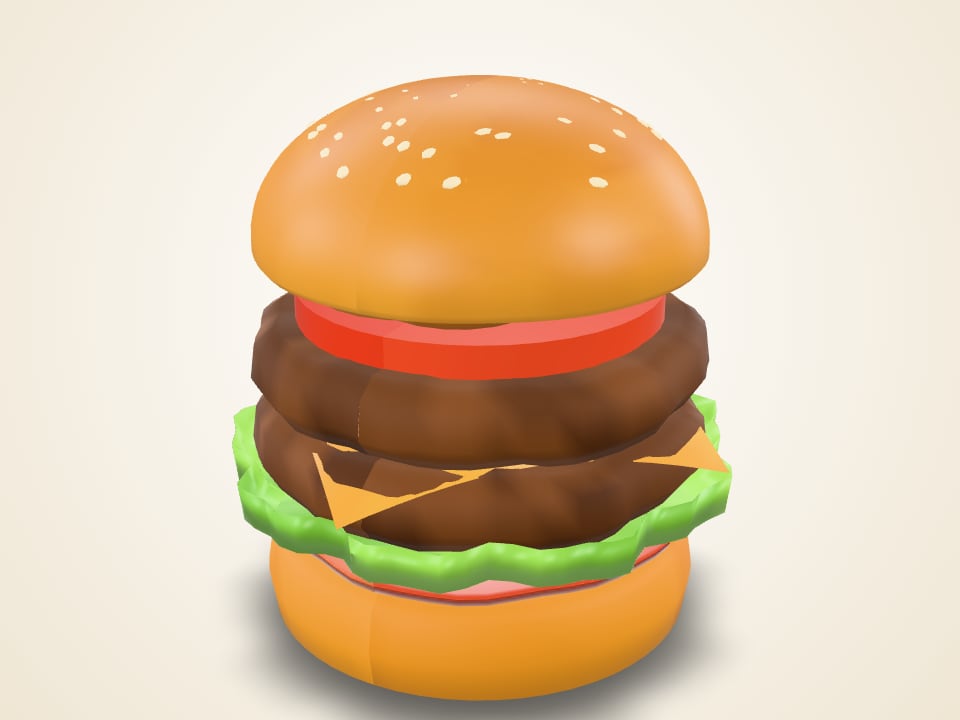
Ember Smash Burger$12.99
How it works
From table to 3D in three taps.
No app to install for the basic experience. Just a QR code and a phone.
Step 1
Scan the QR Code
Customers scan the QR code at their table to open your digital menu instantly.
Step 2
Explore in 3D
They select a dish, rotate the model, and discover its details from every angle.
Step 3
View It in AR
On compatible devices, customers can place the dish in their real environment using their phone.
Features
Everything a menu should have become.
Interactive 3D Food Models
Rotate, zoom and inspect every dish before ordering.
Augmented Reality Dining Experience
Place a dish on the real table with a compatible phone.
QR-Based Instant Access
One scan opens the menu. QR codes for tables or single dishes.
Mobile-First Digital Menus
Designed for one-handed browsing on small screens first.
Beautiful Dish Details
Ingredients, allergens, dietary labels and prep time.
Restaurant Branding
Your name, story, colors and categories.
Faster Menu Exploration
Search and category filters help guests find what they want.
No App Installation Required
The basic web experience runs in the phone browser.
AR placement depends on the phone and browser. Where it isn't available, guests still get the full interactive 3D view.
Interactive demo
Try it right here.
Pick a dish and spin it around. On a compatible phone, the AR button places it on your table. Everything below is a live preview of the sample menu.
Try the Interactive MenuEmber & Crust is a fictional restaurant. Dishes and prices are sample data.
Ember Smash Burger
Double smashed beef patties, aged cheddar, caramelized onions, house sauce, and toasted brioche.
For restaurants
Set up a menu in an afternoon.
The prototype dashboard lets you manage a sample menu end to end. It's a working demo, not a production service yet.
Planned, not built yet
- • Accounts and secure sign-in
- • Cloud storage for menus (today the dashboard saves in your browser only)
- • 3D model upload, hosting and optimization
- • Orders, analytics and POS integrations
- 1
Add restaurant information Works in prototype
Name, story, opening hours and brand color.
- 2
Create menu categories Works in prototype
Organize dishes into the sections guests expect.
- 3
Add dishes and prices Works in prototype
Descriptions, ingredients, allergens and dietary labels.
- 4
Associate 3D models with dishes Works in prototype
Point each dish at a GLB model URL. File upload and hosting are planned.
- 5
Generate QR codes Works in prototype
Printable codes for the whole menu or a single dish.
- 6
Share the menu with customers Works in prototype
Copy the link or print the QR code for tables and menus.
Request a pilot
Want your menu in 3D?
Tell us about your restaurant. We'll reply within one business day to talk about a small pilot with your own dishes.
No payment and no commitment to ask. We only use your details to reply to you.
Let Your Customers Fall in Love Before the First Bite.
Give every dish the attention it deserves with Platter3D.
Experience the Demo